
Compare Marina Rents on Bayut and Property Finder: A Screenshot Walkthrough
Match the search filters, record the actual unit and keep asking prices separate from transaction data.
Two portal searches can produce different numbers without either being “wrong”. The useful comparison starts with the same type of home and makes the differences in the samples visible.
Match the filters before comparing prices
Use annual rent, apartments, one bedroom and Dubai Marina
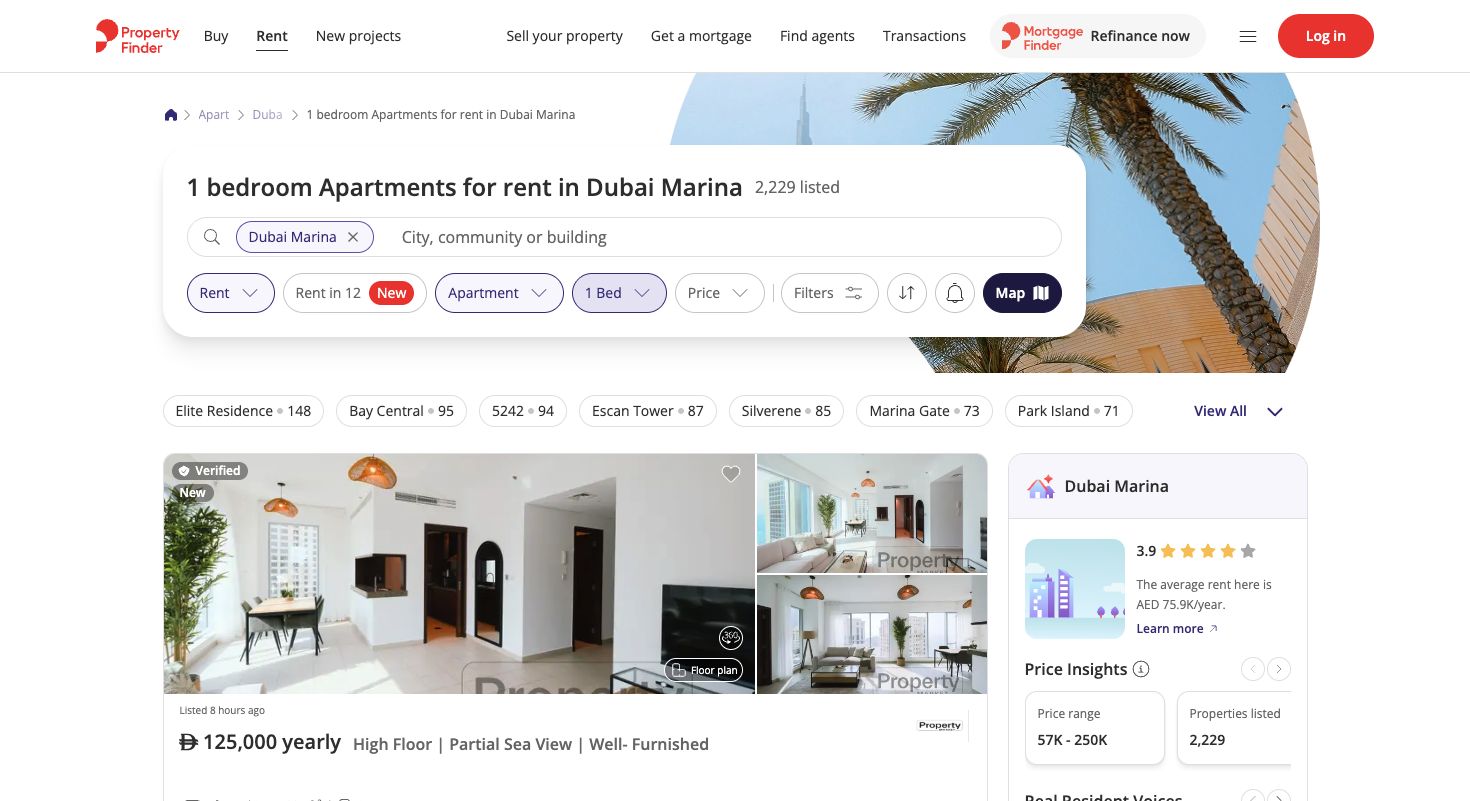
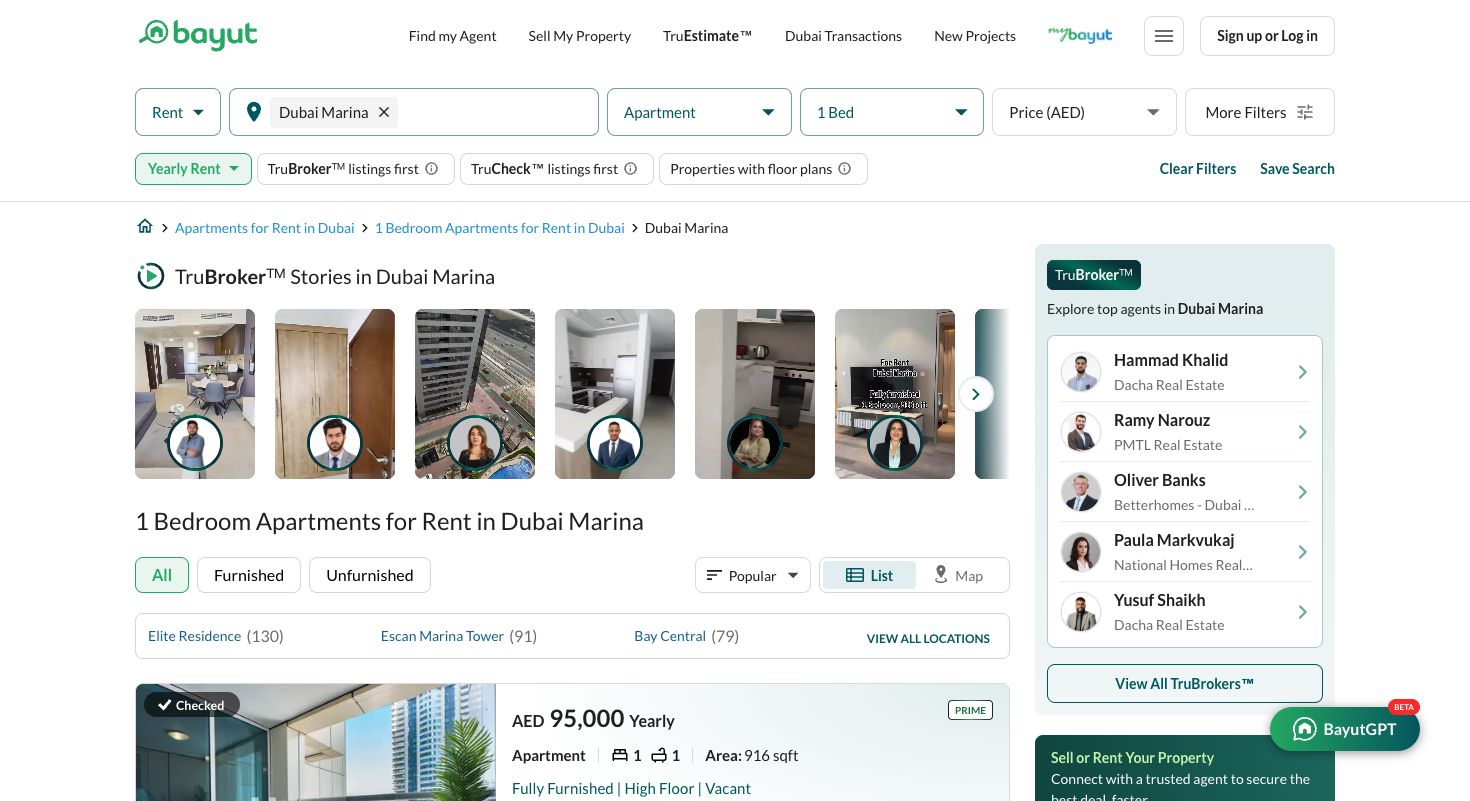
The screenshots below show Rent, Apartment, 1 Bed and the Dubai Marina location on 7 October 2026. Bayut displays Yearly Rent; Property Finder’s individual cards display yearly amounts. Keep furniture and price filters consistent too. A serviced apartment or monthly holiday home belongs in a separate comparison even if it appears nearby.
Check duplicate adverts instead of counting every result as a home
Compare photographs, floor plan, tower, size, rent and brokerage. Identical details can signal the same unit, but cannot always prove it. In our examples we removed repeated URLs and conservatively screened matching building/bedroom/rent/area records. We did not claim a fully deduplicated inventory or merge both portals into a count of unique homes.
Build a record you can revisit
Save rent, size, tower, furniture, view and cheque count
Use columns for portal, listing URL, capture date, exact location, tower, bedrooms, annual AED rent, square feet, furniture, view, cheques and cooling. Put “not stated” where a field is missing. A staged photo does not establish an included furniture inventory, and a portal’s instalment product does not establish the landlord’s cheque terms.
Read the individual page, not just the search card
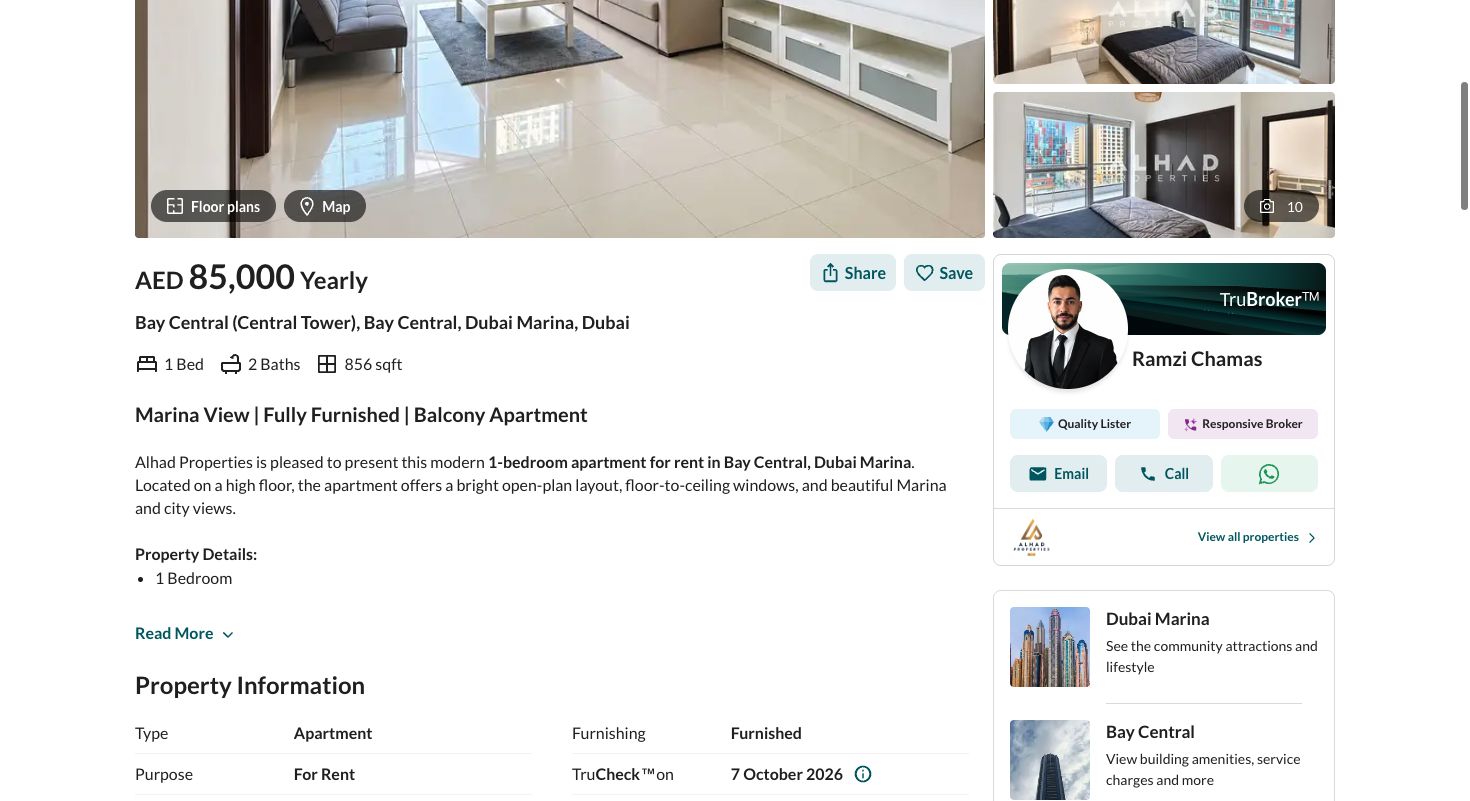
The Bayut example below showed a Bay Central (Central Tower) one-bedroom apartment at AED 85,000 per year and 856 sq ft, with furnishing explicitly listed as furnished. Cheque terms were not established by that basic information, so they remain a question for the agent. The screenshot illustrates where to look; it is not a promise of continuing availability.
Compare the portal samples fairly
Show sample count, median and range for each source
Our one-bedroom Property Finder subset came from its first all-bedroom results page; the Bayut sample came from a one-bedroom filtered page. The table makes those capture differences explicit. Both include different towers and conditions, so the gap cannot establish that one portal is cheaper. For a stronger comparison, re-run both with the same furniture, size and sorting criteria and collect more equivalent records.
| Portal / capture | Records (n) | Median AED/year | Observed range |
|---|---|---|---|
| Property Finder / subset of all-bed page | 15 | 85,000 | 70,000–125,000 |
| Bayut / 1-bed filtered page | 22 | 94,999.50 | 75,500–140,000 |
Do not substitute an asking-price sample for completed leases
These values describe advertised requests on the capture date. They do not measure what tenants finally paid. Keep DLD transaction figures and portal asking-price summaries in separate columns if using both. The downloadable record preserves the listing URLs, dates and exclusion notes for this illustration.
Turn the comparison into a viewing budget
Ask for the total cost of the exact shortlisted unit
For planning, the usual agency fee is 5% of the annual rent, plus 5% VAT on that fee. The security deposit is typically 5% of annual rent for an unfurnished home or 10% for a furnished home. These are market conventions, not a fixed tariff: confirm the actual amounts, any minimum agency charge and the deposit refund terms in writing.
If the costs feel unclear, WhatsApp or call the agent before the viewing: “For this exact apartment, what is the total payable before I receive the keys? Please separate the first rent payment, security deposit, agency fee and VAT, registration, utilities and building charges.” A professional agent should explain their charges clearly and identify any provider amount still awaiting confirmation. Ask for the breakdown in writing after a call.
Use the range and the individual conditions to choose homes you can realistically view, then confirm move-in date and availability. Do not pick a budget from the median alone.
Refresh the search when your requirements change
Changing furniture, bedrooms, building, available date or lease period changes the comparison. Save a new date and keep the earlier version rather than quietly replacing its label. The viewing checklist is the next step once the listings are comparable.
Official requirements, provider terms and market conventions are identified separately. Confirm the terms that apply to your household before committing.